Alert history
CAP CONTROL→History→Alerts
Log of temperature and outage incidents. The page title in the app is Alert history.
Help button — filters, table, register export if PMS
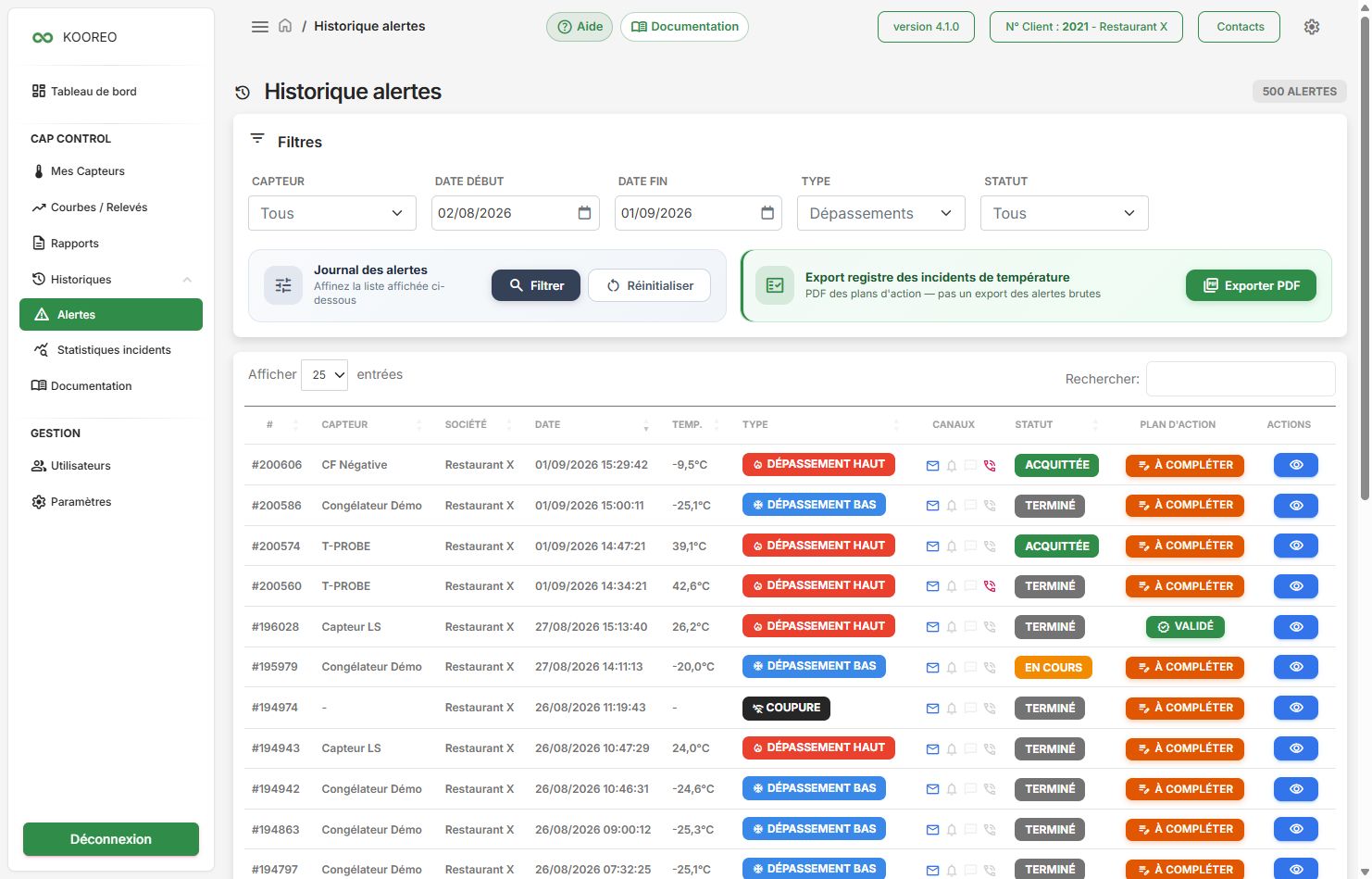
Filter
| Field | Examples |
|---|---|
| Sensor | All, or one unit |
| Start / end date | Period to analyse |
| Type | Breaches, high / low breach, outages, network / power outages, All |
| Status | See the table below |
Then Filter. Reset clears the criteria.
If the HACCP action plan (PMS) is in your offer, Export PDF builds the incident register for the period (not a raw dump of every column).
Statuses
| Status | Meaning |
|---|---|
| In progress | The incident is not closed yet. |
| Acknowledged | Someone confirmed on the phone (key 1). |
| Back to normal | Temperature (or the gateway) returned within range. |
| Abandoned | The call cascade did not succeed. |
| Max retries | The maximum number of retries was reached. |
| Suspended (site offline) | The site was unreachable. |
Alert file
Click Detail: sensor, temperature, channels (email, SMS, call), call attempts, chart around the incident, PDF export, Back button.
If on-call is not in the plan, the file is still available: call-related labels simply do not appear.
HACCP action plan
If the option is on, an Action plan column lets you record nature, corrective action and validator.
See also incident statistics in the same History menu.